July 27, 2026|ShepherdAI Team
Budgeting Headaches? Here's How I Use ShepherdAI to Manage My Church's Finances in 45 Minutes a Month
#church budgeting AI#church donation management#ShepherdAI#church finance software#AI for church accounting
**Tuesday morning. Coffee in hand. Spreadsheet open.** The church's finances are due for the monthly board meeting. Income scattered across three bank accounts. Donation data in a box under my desk. Pledge status? No idea.
I'm a pastor of a church of about 120 people. I lead worship, counsel marriages, visit the sick, and — apparently — moonlight as an accountant. For years, I spent **6 to 8 hours every month** reconciling giving records, typing numbers into Excel, and praying the columns added up.
Then I discovered ShepherdAI's Donation Management and Ministry Health Report tools. Here's exactly how I cut that to under an hour.
---
## The Before Picture: Spreadsheet Hell
Let me be honest about what my process looked like:
1. Open the offering box after Sunday service. Count cash. Note checks. (30 min)
2. Log into our bank account. Download CSV of online donations. (10 min)
3. Cross-reference against 3-month-old member list to figure out who gave what. (2 hours)
4. Type everything into a Google Sheet. Try to make it look professional. (1 hour)
5. Write up a summary report for the board. (1.5 hours)
6. Manually send year-end statements in January. (2 days of pain)
It was unsustainable. And I'm not even a small church — we have a volunteer treasurer who helps. But even volunteers have limits.
---
## Step 1: Setting Up Donation Management (10 minutes)
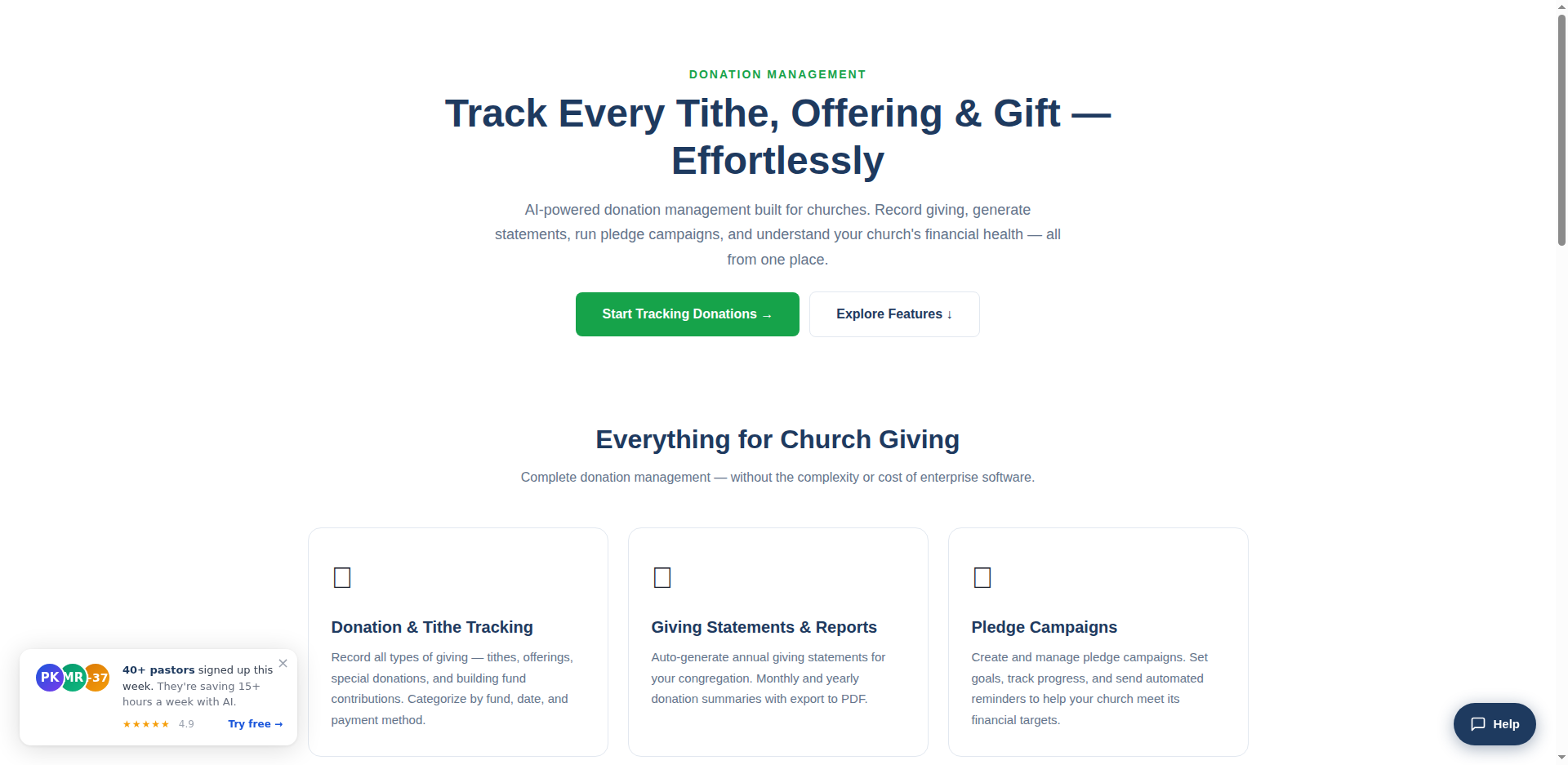 The Donation Management interface — giving categories, auto-receipts, and AI insights all in one place.
The first thing I did was switch from paper tracking to ShepherdAI's Donation Management tool. Setup took less than 10 minutes:
1. Logged into my ShepherdAI dashboard
2. Clicked "Donation Management" from the features menu
3. Added our three giving categories: **General Tithe**, **Building Fund**, and **Missions Offering**
4. Set up auto-receipts (so donors get an email confirmation instantly)
**What changed immediately:** Every Sunday, I log the offering directly into ShepherdAI from my phone. Takes 5 minutes. The system tracks who gave what, when, and for which fund.
No more handwritten ledger. No more guessing which envelope belongs to which family.
---
## Step 2: AI That Actually Helps with Reports (15 minutes)
The Donation Management interface — giving categories, auto-receipts, and AI insights all in one place.
The first thing I did was switch from paper tracking to ShepherdAI's Donation Management tool. Setup took less than 10 minutes:
1. Logged into my ShepherdAI dashboard
2. Clicked "Donation Management" from the features menu
3. Added our three giving categories: **General Tithe**, **Building Fund**, and **Missions Offering**
4. Set up auto-receipts (so donors get an email confirmation instantly)
**What changed immediately:** Every Sunday, I log the offering directly into ShepherdAI from my phone. Takes 5 minutes. The system tracks who gave what, when, and for which fund.
No more handwritten ledger. No more guessing which envelope belongs to which family.
---
## Step 2: AI That Actually Helps with Reports (15 minutes)
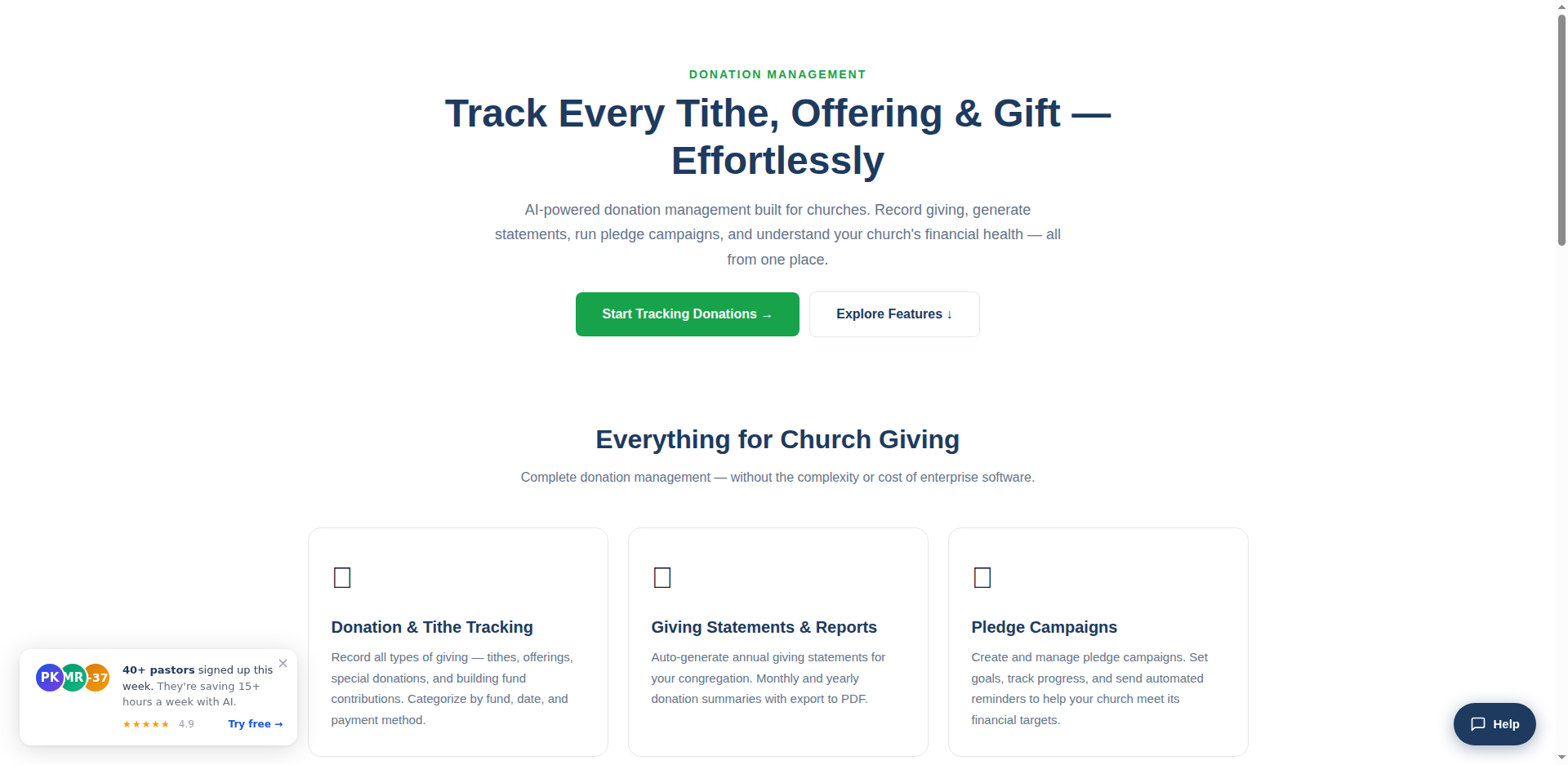 ShepherdAI's full toolset — Donation Management paired with AI-powered reports and Ministry Health diagnostics.
This is the part that blew my mind. ShepherdAI's **AI-powered insights** look at your giving patterns and surface things you'd never catch manually:
"Your Building Fund giving is down 18% compared to last quarter."
"Three regular givers have decreased their frequency — consider a personal check-in."
"January giving was 22% above average — likely year-end generosity carryover."
I used to spend hours finding trends in data. Now the AI tells me. I take 15 minutes each month to:
- Review the AI-generated trends
- Export a one-page giving summary for the board (one click → PDF)
- Note which members might need a pastoral follow-up based on giving changes
**The board loves it.** I hand them a clean summary instead of a messy spreadsheet. They ask better questions because they actually understand the numbers.
---
## Step 3: Pledge Campaigns That Don't Fizzle Out (10 minutes)
Last fall, we ran a capital campaign for new AV equipment. Before ShepherdAI, this meant:
- Paper pledge cards
- Manual tracking of who pledged vs. who paid
- Awkward reminders via bulletin announcements
With ShepherdAI:
1. Set up a pledge campaign in the tool (5 min)
2. Members could pledge via the church community page
3. AI auto-sends gentle reminders to those behind on their pledge
4. Real-time progress bar on the dashboard
We hit **92% of our $15,000 goal**. The campaign felt organized, not pushy. Members appreciated the transparency.
---
## Step 4: Year-End Statements (5 minutes, not 2 days)
January used to be my least favorite month. Manually generating giving statements for 80+ households took days.
Now I click "Generate Annual Statements" in ShepherdAI. It produces professional tax-ready PDFs for every giver. I review, approve, and email them out in one batch.
**5 minutes.** From 2 days of work to 5 minutes.
---
## The Real Numbers: Before vs. After
| Task | Before | After |
|------|--------|-------|
| Weekly offering entry | 30 min | 5 min |
| Monthly board report | 2-3 hours | 15 min |
| Pledge campaign tracking | Manual hell | Real-time |
| Year-end statements | 2 days | 5 min |
| **Total monthly** | **6-8 hours** | **~45 min** |
---
## The Unexpected Win: Pastoral Insight
Here's what surprised me. The AI giving insights aren't just about spreadsheets — they're about *people*.
When a faithful giver suddenly stops, it's usually a signal. Maybe they lost a job. Maybe they're hurt. Maybe they're drifting from the church.
ShepherdAI flagged a member whose giving dropped to zero over three months. I reached out. Turns out his wife was going through serious health issues. They were embarrassed about their finances and had stopped coming.
Because the AI caught the pattern early, I could shepherd them — not about money, but about their pain.
**That's the real point.** The technology doesn't replace pastoral care. It makes it possible.
---
## Try It Yourself
You don't need an accounting degree. You don't need a finance committee (though they help). You just need:
1. A ShepherdAI account — [start free here](/register)
2. 10 minutes to set up donation categories
3. Your first Sunday's offering data
The free plan covers up to 200 members with donation tracking, AI reports, and giving statements. No credit card required.
→ **[Start your free account at shepherdaitech.com](/register)** — set it up this week and see what your finances actually look like without spreadsheets.
---
**Key Takeaways:**
- ShepherdAI's Donation Management replaces spreadsheets with one-click tracking
- AI-powered giving insights catch trends you'd miss manually
- Pledge campaigns run themselves with automated reminders
- Year-end statements go from 2 days to 5 minutes
- Financial data often reveals pastoral care needs
ShepherdAI's full toolset — Donation Management paired with AI-powered reports and Ministry Health diagnostics.
This is the part that blew my mind. ShepherdAI's **AI-powered insights** look at your giving patterns and surface things you'd never catch manually:
"Your Building Fund giving is down 18% compared to last quarter."
"Three regular givers have decreased their frequency — consider a personal check-in."
"January giving was 22% above average — likely year-end generosity carryover."
I used to spend hours finding trends in data. Now the AI tells me. I take 15 minutes each month to:
- Review the AI-generated trends
- Export a one-page giving summary for the board (one click → PDF)
- Note which members might need a pastoral follow-up based on giving changes
**The board loves it.** I hand them a clean summary instead of a messy spreadsheet. They ask better questions because they actually understand the numbers.
---
## Step 3: Pledge Campaigns That Don't Fizzle Out (10 minutes)
Last fall, we ran a capital campaign for new AV equipment. Before ShepherdAI, this meant:
- Paper pledge cards
- Manual tracking of who pledged vs. who paid
- Awkward reminders via bulletin announcements
With ShepherdAI:
1. Set up a pledge campaign in the tool (5 min)
2. Members could pledge via the church community page
3. AI auto-sends gentle reminders to those behind on their pledge
4. Real-time progress bar on the dashboard
We hit **92% of our $15,000 goal**. The campaign felt organized, not pushy. Members appreciated the transparency.
---
## Step 4: Year-End Statements (5 minutes, not 2 days)
January used to be my least favorite month. Manually generating giving statements for 80+ households took days.
Now I click "Generate Annual Statements" in ShepherdAI. It produces professional tax-ready PDFs for every giver. I review, approve, and email them out in one batch.
**5 minutes.** From 2 days of work to 5 minutes.
---
## The Real Numbers: Before vs. After
| Task | Before | After |
|------|--------|-------|
| Weekly offering entry | 30 min | 5 min |
| Monthly board report | 2-3 hours | 15 min |
| Pledge campaign tracking | Manual hell | Real-time |
| Year-end statements | 2 days | 5 min |
| **Total monthly** | **6-8 hours** | **~45 min** |
---
## The Unexpected Win: Pastoral Insight
Here's what surprised me. The AI giving insights aren't just about spreadsheets — they're about *people*.
When a faithful giver suddenly stops, it's usually a signal. Maybe they lost a job. Maybe they're hurt. Maybe they're drifting from the church.
ShepherdAI flagged a member whose giving dropped to zero over three months. I reached out. Turns out his wife was going through serious health issues. They were embarrassed about their finances and had stopped coming.
Because the AI caught the pattern early, I could shepherd them — not about money, but about their pain.
**That's the real point.** The technology doesn't replace pastoral care. It makes it possible.
---
## Try It Yourself
You don't need an accounting degree. You don't need a finance committee (though they help). You just need:
1. A ShepherdAI account — [start free here](/register)
2. 10 minutes to set up donation categories
3. Your first Sunday's offering data
The free plan covers up to 200 members with donation tracking, AI reports, and giving statements. No credit card required.
→ **[Start your free account at shepherdaitech.com](/register)** — set it up this week and see what your finances actually look like without spreadsheets.
---
**Key Takeaways:**
- ShepherdAI's Donation Management replaces spreadsheets with one-click tracking
- AI-powered giving insights catch trends you'd miss manually
- Pledge campaigns run themselves with automated reminders
- Year-end statements go from 2 days to 5 minutes
- Financial data often reveals pastoral care needs
The Donation Management interface — giving categories, auto-receipts, and AI insights all in one place.
The first thing I did was switch from paper tracking to ShepherdAI's Donation Management tool. Setup took less than 10 minutes:
1. Logged into my ShepherdAI dashboard
2. Clicked "Donation Management" from the features menu
3. Added our three giving categories: **General Tithe**, **Building Fund**, and **Missions Offering**
4. Set up auto-receipts (so donors get an email confirmation instantly)
**What changed immediately:** Every Sunday, I log the offering directly into ShepherdAI from my phone. Takes 5 minutes. The system tracks who gave what, when, and for which fund.
No more handwritten ledger. No more guessing which envelope belongs to which family.
---
## Step 2: AI That Actually Helps with Reports (15 minutes)
ShepherdAI's full toolset — Donation Management paired with AI-powered reports and Ministry Health diagnostics.
This is the part that blew my mind. ShepherdAI's **AI-powered insights** look at your giving patterns and surface things you'd never catch manually:
"Your Building Fund giving is down 18% compared to last quarter."
"Three regular givers have decreased their frequency — consider a personal check-in."
"January giving was 22% above average — likely year-end generosity carryover."
I used to spend hours finding trends in data. Now the AI tells me. I take 15 minutes each month to:
- Review the AI-generated trends
- Export a one-page giving summary for the board (one click → PDF)
- Note which members might need a pastoral follow-up based on giving changes
**The board loves it.** I hand them a clean summary instead of a messy spreadsheet. They ask better questions because they actually understand the numbers.
---
## Step 3: Pledge Campaigns That Don't Fizzle Out (10 minutes)
Last fall, we ran a capital campaign for new AV equipment. Before ShepherdAI, this meant:
- Paper pledge cards
- Manual tracking of who pledged vs. who paid
- Awkward reminders via bulletin announcements
With ShepherdAI:
1. Set up a pledge campaign in the tool (5 min)
2. Members could pledge via the church community page
3. AI auto-sends gentle reminders to those behind on their pledge
4. Real-time progress bar on the dashboard
We hit **92% of our $15,000 goal**. The campaign felt organized, not pushy. Members appreciated the transparency.
---
## Step 4: Year-End Statements (5 minutes, not 2 days)
January used to be my least favorite month. Manually generating giving statements for 80+ households took days.
Now I click "Generate Annual Statements" in ShepherdAI. It produces professional tax-ready PDFs for every giver. I review, approve, and email them out in one batch.
**5 minutes.** From 2 days of work to 5 minutes.
---
## The Real Numbers: Before vs. After
| Task | Before | After |
|------|--------|-------|
| Weekly offering entry | 30 min | 5 min |
| Monthly board report | 2-3 hours | 15 min |
| Pledge campaign tracking | Manual hell | Real-time |
| Year-end statements | 2 days | 5 min |
| **Total monthly** | **6-8 hours** | **~45 min** |
---
## The Unexpected Win: Pastoral Insight
Here's what surprised me. The AI giving insights aren't just about spreadsheets — they're about *people*.
When a faithful giver suddenly stops, it's usually a signal. Maybe they lost a job. Maybe they're hurt. Maybe they're drifting from the church.
ShepherdAI flagged a member whose giving dropped to zero over three months. I reached out. Turns out his wife was going through serious health issues. They were embarrassed about their finances and had stopped coming.
Because the AI caught the pattern early, I could shepherd them — not about money, but about their pain.
**That's the real point.** The technology doesn't replace pastoral care. It makes it possible.
---
## Try It Yourself
You don't need an accounting degree. You don't need a finance committee (though they help). You just need:
1. A ShepherdAI account — [start free here](/register)
2. 10 minutes to set up donation categories
3. Your first Sunday's offering data
The free plan covers up to 200 members with donation tracking, AI reports, and giving statements. No credit card required.
→ **[Start your free account at shepherdaitech.com](/register)** — set it up this week and see what your finances actually look like without spreadsheets.
---
**Key Takeaways:**
- ShepherdAI's Donation Management replaces spreadsheets with one-click tracking
- AI-powered giving insights catch trends you'd miss manually
- Pledge campaigns run themselves with automated reminders
- Year-end statements go from 2 days to 5 minutes
- Financial data often reveals pastoral care needsTry ShepherdAI Free — 20 Generations/Month
Generate devotionals, sermon outlines, visitor follow-up emails, and more — all personalized to your church.
✓ No credit card required ✓ 20 free AI generations every month ✓ Setup in 60 seconds
More from the Blog
August 24, 2026
Top 5 Ways AI Improves Church Visitor Follow-Up
Discover how AI can transform your church visitor follow-up process. Learn 5 practical ways to engage newcomers with ShepherdAI.
August 24, 2026ShepherdAI vs Planning Center: An Honest Review for Modern Churches
We compared ShepherdAI and Planning Center for church management. Here's what we found and why ShepherdAI might be the better fit.