From One Sermon to 50 Posts: How I Turn My Sunday Message Into a Week of Content in 10 Minutes
It's Monday morning. Your Sunday sermon was powerful — maybe the best you've preached all year. People were taking notes, posting quotes on Instagram, telling their friends to come next week.
And now it's sitting in a notebook. Or a recording. Or in your head.
I know the feeling. I used to spend my Monday mornings trying to turn one sermon into a blog post, three social media updates, a newsletter blurb, and small group discussion questions. It took me three hours minimum. And honestly? Most weeks I just… didn't do it.
Then I found Batch Content in ShepherdAI. And everything changed.
What Is Batch Content?
Batch Content is ShepherdAI's feature that takes ONE piece of ministry content — a sermon, a teaching, a devotional — and turns it into up to 50 different assets. It's like having a content team that works while you sleep.
Here's what I generated from my last sermon in under 10 minutes:
- 📝 A 600-word blog post for the church website
- 📱 5 Instagram captions with Bible verses
- 🐦 3 Twitter threads
- 📧 A newsletter intro for Wednesday send-out
- 💬 4 small group discussion questions
- 🙏 A prayer response based on the sermon theme
- 📰 A bulletin summary
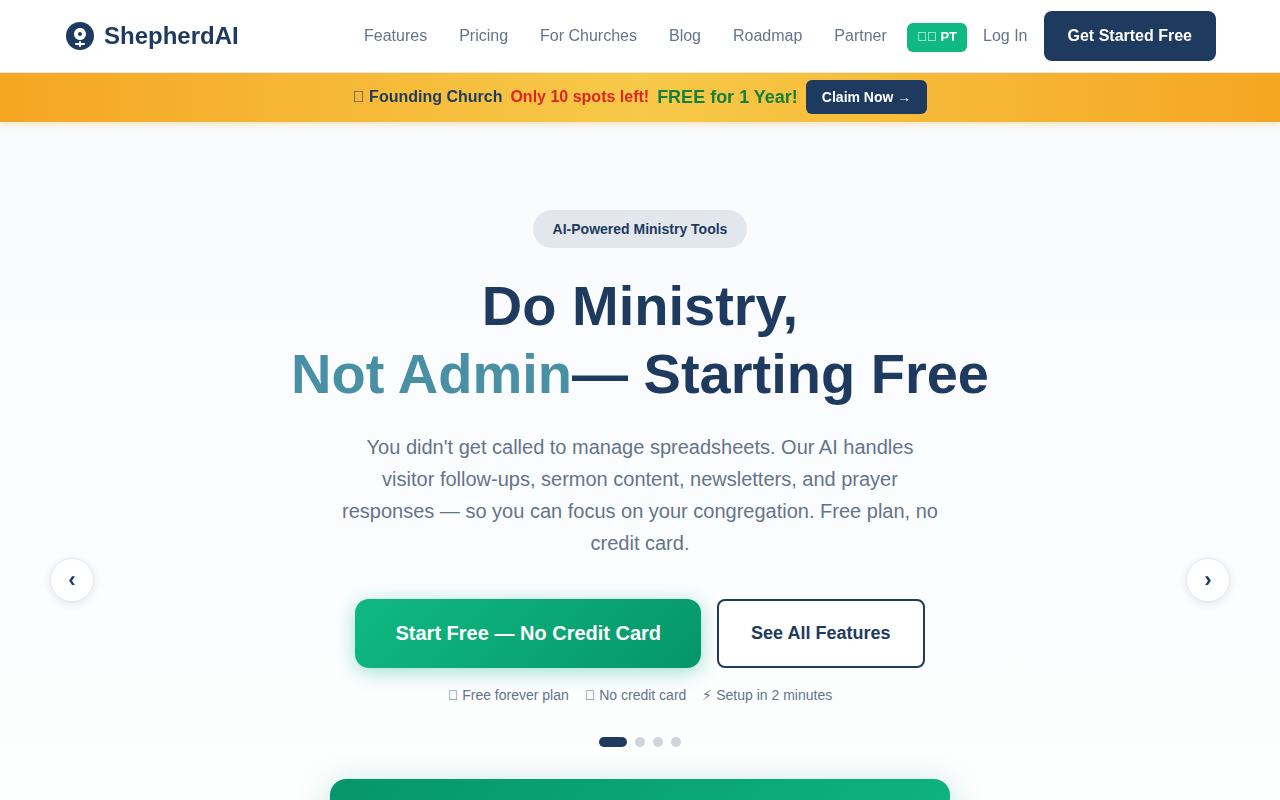
ShepherdAI's homepage — the Batch Content feature is part of the Pro plan, but you can try it free for 7 days.
My 10-Minute Workflow
Here's exactly what I do. No fluff, no technical skills required.
Step 1: Save your sermon notes or transcript
I type my sermon outline into ShepherdAI. Bullet points are fine. A full manuscript works too. Even a voice recording transcript. The AI doesn't care about formatting — it just needs your content.
Step 2: Pick Batch Content from the features menu
It's one click. You don't need to choose templates or configure settings. The AI already knows your church's style because it learns from you over time.
Step 3: Select what you want to generate
I check the boxes for what I need this week:
- Blog post ✅
- Social media posts ✅
- Newsletter ✅
- Discussion questions ✅
Then I hit generate. That's it.
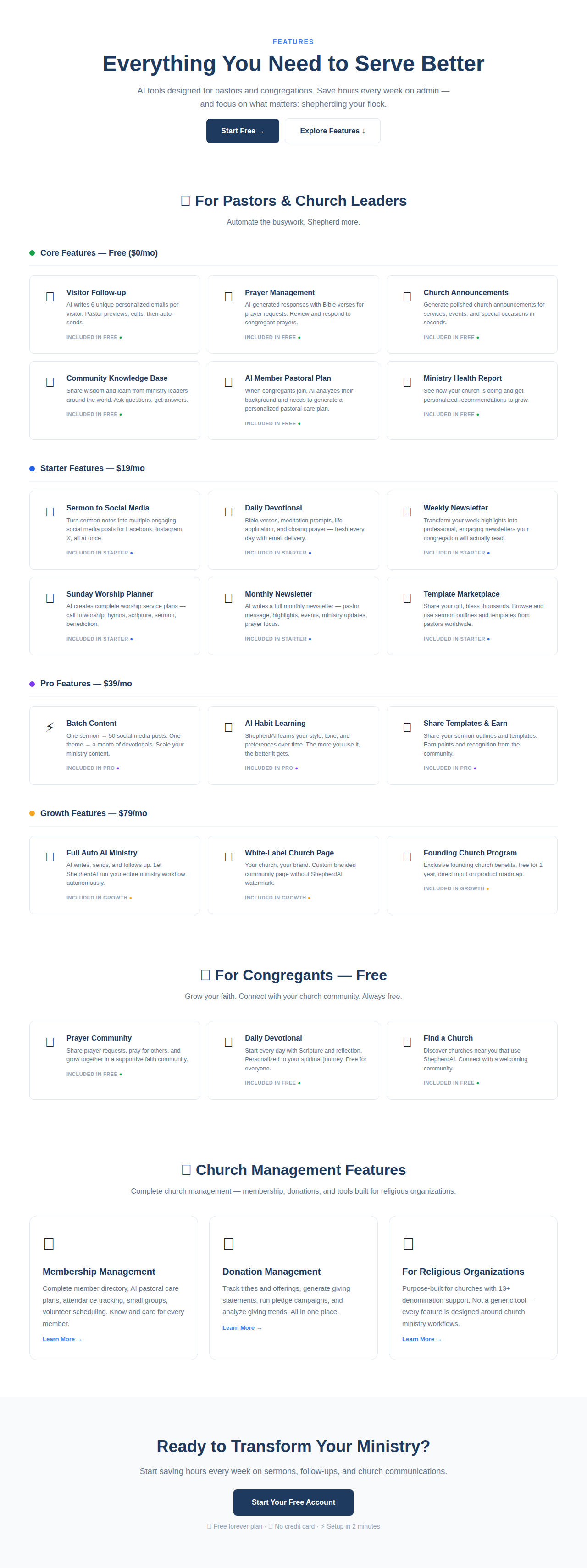
There are over 20 tools in ShepherdAI — but Batch Content is the one that saves me the most time every week.
What the Output Actually Looks Like
Let me show you what I got from my sermon on "Finding Peace in Chaos" (Philippians 4:6-7):
Blog post opening:
"You don't have to live anxious. Paul wrote those words from prison — chains on his wrists, uncertain future, and yet he tells the Philippians to 'not be anxious about anything.' If anyone had a reason to worry, it was him. So how did he do it?
This week, we're unpacking the peace that passes understanding — not as a theory, but as something you can experience today."
Instagram caption:
"Peace isn't the absence of chaos. It's the presence of Someone bigger than your chaos. ✨ Philippians 4:6-7
What's one thing you're worrying about that you can give to God today? Drop a 🙏 below. #FaithOverFear #PeaceInChaos #ShepherdAI"
Small group question:
"Think about a time when you felt God's peace in a difficult situation. What was different about that experience? How can you create space for that peace this week?"
Every piece of content sounds like me. Not like a robot. Not like a generic template. Like me. Because ShepherdAI learns your voice over time.
The Before and After
| Before | After | |
|---|---|---|
| Time spent | 2-3 hours | 10 minutes |
| Consistency | Skip most weeks | Every single week |
| Quality | Rushed, repetitive | Polished, varied |
| Outputs per week | 2-3 (if I had time) | 10-15 |
Why This Matters for Your Church
Here's the thing I realized: my sermon is the best piece of content my church produces all week. It's biblically grounded. It's practically relevant. It's me, speaking to my people.
And for years, I let it die on Sunday.
That blog post I generated? Someone in your community will find it through Google next Tuesday and decide to visit your church. That Instagram post? A lapsed member will see it and remember why they loved your community. Those discussion questions? Your small group leaders will actually use them because they're ready-made.
Your sermon doesn't have to be a one-day event. It can be a week-long conversation.
And it doesn't take hours. It takes ten minutes.
Try It Free
Batch Content is available on the Pro plan ($39/mo), but you can try it for 7 days free — no credit card required. Sign up at shepherdaitech.com, paste your sermon notes, and see what it generates. I promise you'll be surprised.
Try ShepherdAI Free — 20 Generations/Month
Generate devotionals, sermon outlines, visitor follow-up emails, and more — all personalized to your church.
✓ No credit card required ✓ 20 free AI generations every month ✓ Setup in 60 seconds
More from the Blog
Top 5 Ways AI Improves Church Visitor Follow-Up
Discover how AI can transform your church visitor follow-up process. Learn 5 practical ways to engage newcomers with ShepherdAI.
August 24, 2026ShepherdAI vs Planning Center: An Honest Review for Modern Churches
We compared ShepherdAI and Planning Center for church management. Here's what we found and why ShepherdAI might be the better fit.